


Feedback and Bug Reports in Nyverra Portal: Continuous Improvement with Users
 Wedson Lopes
Every product has two laboratories: development and the real world. The real world finds what the lab never imagined. The Feedback module of the Nyverra ITSM Portal exists to capture this finding — before it becomes silent dissatisfaction.
This guide explains what the module receives, how status is tracked, and why a well-operated feedback channel is a lever for continuous improvement.
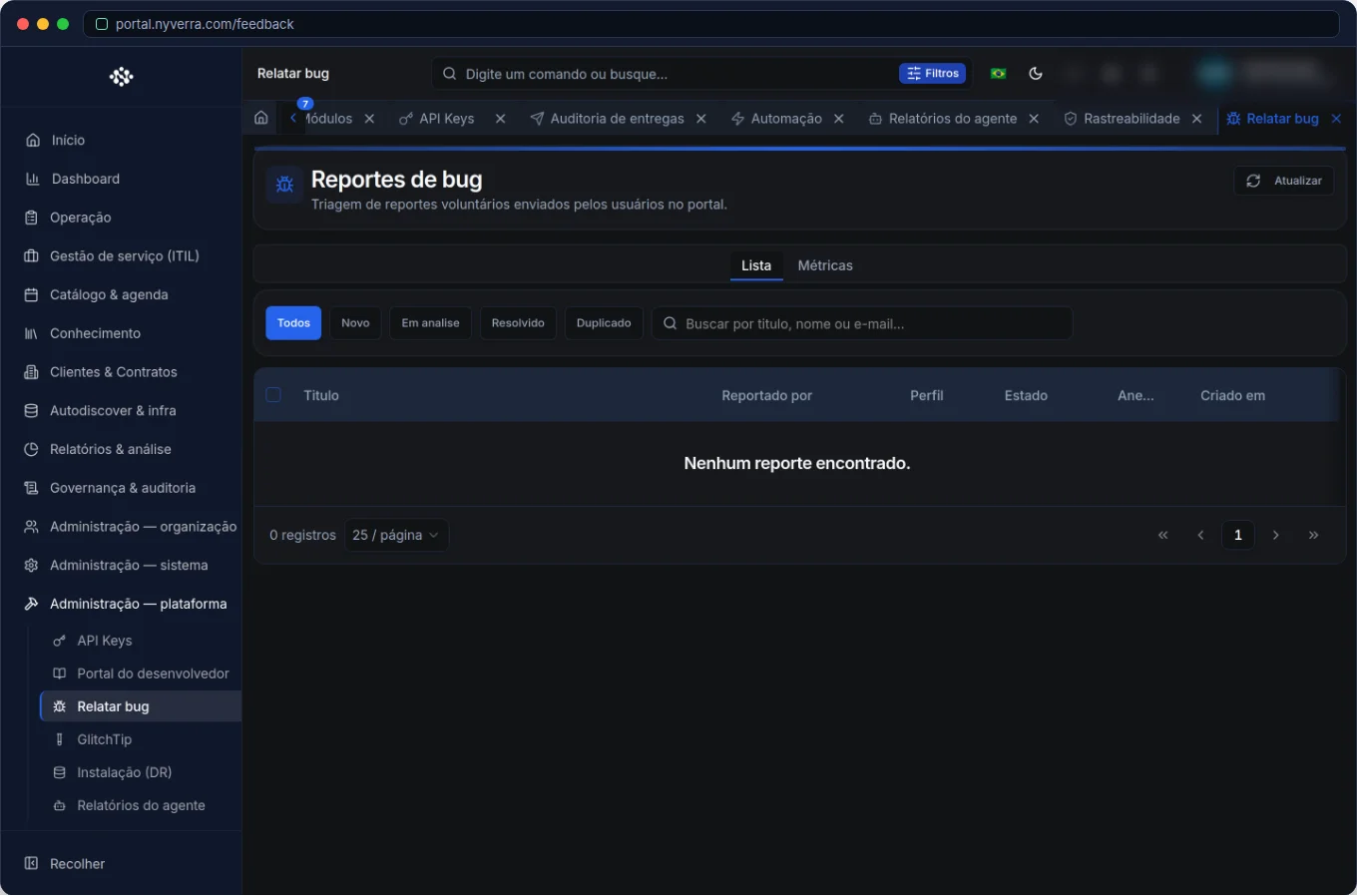 Module interface in Nyverra ITSM Portal.
What the Feedback module captures
It is the official channel for the user to report product issues and propose improvements — distinct from IT service requests:
| Type | Example |
|---|---|
| Bug report | “Filter X doesn't save the preference.” |
| Improvement suggestion | “It would be useful to export list Y to CSV.” |
| Usage feedback | “Flow Z could have fewer clicks.” |
The key point: separate product bugs from IT incidents. The first goes to the product backlog; the second, to the service desk.
Why a feedback channel matters
- Early detection: real problems appear before they escalate.
- Data-driven prioritization: volume/recurrence of feedback guides the roadmap.
- Engagement: those who give feedback and receive a response start participating in the evolution.
- Perceived quality: closing the loop (“we resolved it”) improves trust in the product.
Who uses it
| Profile | Typical use |
|---|---|
| User | Registers bug/suggestion |
| Product team | Triages, classifies, and prioritizes |
| Administrator | Monitors the flow and notifications |
How to use: step by step
- The user registers the feedback with description and context.
- The team triages and classifies (bug? suggestion? duplicate?).
- The status is updated (under analysis, planned, resolved, not applicable).
- The response is communicated to the author.
- The items feed the roadmap prioritization.
Business rules and cautions
| Point | Explanation |
|---|---|
| Bugs vs incidents | Product bug ≠ IT incident; each has its own flow. |
| Duplicity | Group similar feedback to measure real impact. |
| Response | Replying, even when it won't be done, closes the loop. |
| Privacy | Context and attachments may contain data; handle according to LGPD. |
Good practices
- Always respond — including negatives (“won't be done now”), with the reason.
- Group similar feedback; recurrence is a sign of priority.
- Clearly separate product bugs and IT incidents.
- Use feedback volume to prioritize the roadmap with data.
- Close the loop: inform when an item has been resolved.
Common mistakes
| Situation | What to do |
|---|---|
| Unanswered feedback | Disengages the user; create a routine for response and status. |
| Bug treated as an incident | Route to the product backlog. |
| Ignoring recurrence | Group and prioritize what repeats. |
Frequently asked questions
Does feedback replace service requests?
No — they are different flows: product bug vs IT incident.
Does the user see the status?
Yes, status tracking is part of the module.
Is it used to prioritize the roadmap?
Yes, feedback volume/recurrence guides prioritization.
Automate via API
The module is exposed via API (/api/feedback and related), allowing the channel to be integrated with product tools. Reference at developer.nyverra.com.
Use cases: the improvement cycle in action
1. Bug reported, fixed, and communicated. The user reports a filter error; the team fixes it and notifies. The user realizes their contribution mattered — and starts reporting more.
2. Suggestion that becomes a feature. Several users ask to export a list to CSV. Feedback volume signals demand; the feature enters the roadmap with justification.
3. Reduction of support tickets. Separating “product bug” from “usage question” prevents support from becoming a dumping ground for reports that should go to the product — and vice versa.
KPIs of a healthy feedback channel
| Indicator | What it reveals |
|---|---|
| Feedback received per period | User engagement |
| % with updated status | Whether the channel is taken seriously |
| Time to first response | Team responsiveness |
| Bugs vs suggestions | Nature of demand |
| Recurrence of themes | Roadmap priority |
Closing the loop
The value of feedback is less in receiving it and more in responding. Even a “won't be done now, and the reason is X” keeps the user engaged. A channel without response dies silently — and with it dies continuous improvement. With triage, status, and response, the Nyverra ITSM Portal transforms user perception into product direction.
Feedback channel checklist
- Define what is a bug vs IT incident.
- Establish triage and status.
- Commit to responding to the author.
- Group recurring themes.
- Use volume to prioritize the roadmap.
- Communicate when an item is resolved.
Additional frequently asked questions
What if it won't be implemented?
Respond anyway, with the reason — maintains engagement.
How to prioritize?
By recurrence and impact of the theme.
Are feedback and support the same queue?
No; product bug goes to the product, incident goes to the service desk.
Conclusion
With the Feedback module, the Nyverra ITSM Portal evolves together with those who use it. A channel that captures, prioritizes, and responds closes the continuous improvement loop — and transforms user perception into product direction.
Leia também: Business Services in Nyverra Portal: Translating IT into Business · Agent Reports in Nyverra Portal: Reports on Autopilot.
Keep reading
Read also
 Portal ITSM
Business Services in Nyverra Portal: Translating IT into Business
The business doesn't feel a server go down — it feels email stop. The Business Services (Service Mapping) module of Nyverra ITSM Portal connects services like Email, ERP or PACS to CMDB assets, revealing the real impact of each failure.
5 min de leitura Portal ITSM
Agent Reports in Nyverra Portal: Reports on Autopilot
Generating, assembling, and distributing reports manually is exhausting. The Agent Reports module in the Nyverra ITSM Portal triggers playbooks, reruns reports on demand, and maintains a history of each execution — information without manual work.
4 min de leitura Portal ITSM
Problem Management in Nyverra Portal: RCA, Problem Groups, and KEDB
Instability is not solved by firefighting. The Problems module of Nyverra ITSM Portal investigates the root cause of recurring incidents, documents workarounds, and feeds the Known Error Database (KEDB) — with multidisciplinary groups, RCA, and impact analysis.
7 min de leitura
Comments
No comments yet
Be the first to share your thoughts on this article.
Leave a comment