

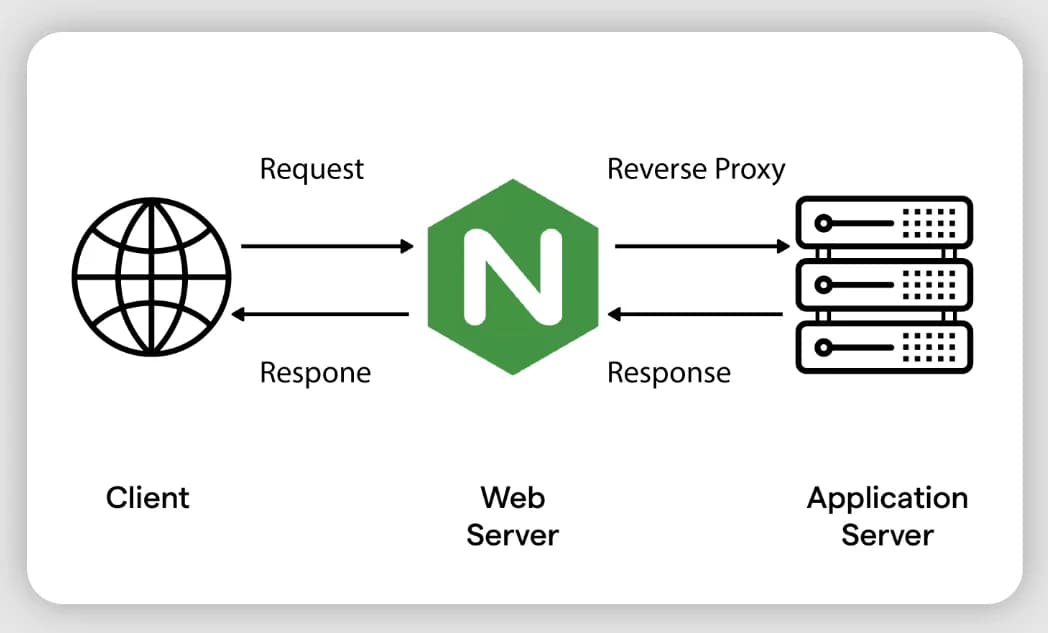
Nginx Cheatsheet
Complete Nginx Cheatsheet
Summary
Installation and Service
Installation (Debian/Ubuntu)
apt update
apt install nginx -y
Installation (RHEL/Oracle Linux/CentOS)
dnf install nginx -y
# ou em versões antigas:
yum install nginx -y
Installation from the official repository (latest version)
# Debian/Ubuntu
curl -fsSL https://nginx.org/keys/nginx_signing.key | gpg --dearmor | tee /usr/share/keyrings/nginx-archive-keyring.gpg >/dev/null
echo "deb [signed-by=/usr/share/keyrings/nginx-archive-keyring.gpg] http://nginx.org/packages/ubuntu $(lsb_release -cs) nginx" | tee /etc/apt/sources.list.d/nginx.list
apt update && apt install nginx
Service management (systemd)
systemctl start nginx
systemctl stop nginx
systemctl restart nginx
systemctl reload nginx          # recarrega config sem dropar conexões
systemctl status nginx
systemctl enable nginx          # habilita no boot
systemctl enable --now nginx
Test and reload configuration
nginx -t                  # testa sintaxe da config
nginx -T                  # testa e mostra config completa (todos includes resolvidos)
nginx -s reload            # envia sinal de reload ao processo master
nginx -s stop              # parada imediata
nginx -s quit              # parada graciosa
nginx -V                   # versão + módulos compilados
File Structure
Debian/Ubuntu (default sites-available/sites-enabled)
/etc/nginx/
├── nginx.conf                  # config principal
├── mime.types
├── conf.d/                     # configs adicionais (incluídas automaticamente)
├── sites-available/            # vhosts disponíveis (não ativos)
├── sites-enabled/              # symlinks para sites-available (ativos)
├── snippets/                   # trechos reutilizáveis (ssl, headers, etc.)
└── modules-enabled/

/var/log/nginx/
├── access.log
└── error.log

/var/www/html/                  # webroot padrão
RHEL/Oracle Linux (default conf.d)
/etc/nginx/
├── nginx.conf
├── conf.d/                     # *.conf incluídos automaticamente
└── default.d/

/usr/share/nginx/html/          # webroot padrão
/var/log/nginx/
Enable a site (Debian model)
ln -s /etc/nginx/sites-available/meusite.conf /etc/nginx/sites-enabled/
nginx -t && systemctl reload nginx
Basic Configuration Syntax
# Estrutura geral em nginx.conf

user www-data;                  # usuário que executa worker processes
worker_processes auto;          # geralmente = nº de cores de CPU
pid /run/nginx.pid;

events {
    worker_connections 1024;    # conexões simultâneas por worker
    use epoll;                  # Linux: epoll é o método mais eficiente
    multi_accept on;
}

http {
    include /etc/nginx/mime.types;
    default_type application/octet-stream;

    log_format main '$remote_addr - $remote_user [$time_local] '
                     '"$request" $status $body_bytes_sent '
                     '"$http_referer" "$http_user_agent"';

    access_log /var/log/nginx/access.log main;
    error_log  /var/log/nginx/error.log warn;

    sendfile on;
    tcp_nopush on;
    tcp_nodelay on;
    keepalive_timeout 65;
    types_hash_max_size 2048;

    include /etc/nginx/conf.d/*.conf;
    include /etc/nginx/sites-enabled/*;
}
Contexts (hierarchy): main → events/http/mail/stream → server → location. Directives in a more specific context override the outer one (selective inheritance).
server Blocks (Virtual Hosts)
Basic HTTP
server {
    listen 80;
    listen [::]:80;
    server_name exemplo.com.br www.exemplo.com.br;

    root /var/www/exemplo.com.br;
    index index.html index.php;

    location / {
        try_files $uri $uri/ =404;
    }
}
Multiple domains in the same block
server {
    listen 80;
    server_name app1.exemplo.com.br app2.exemplo.com.br;
    ...
}
Default server (catch-all)
server {
    listen 80 default_server;
    server_name _;
    return 444;   # fecha conexão sem resposta — útil contra scanners
}
location Blocks
Match types (priority order)
location = /exact        { }   # 1. match EXATO (maior prioridade)
location ^~ /prefixo      { }   # 2. prefixo, para se casar (ignora regex)
location ~  /regex$       { }   # 3. regex case-sensitive
location ~* \.(jpg|png)$  { }   # 4. regex case-insensitive
location /prefixo         { }   # 5. prefixo comum (menor prioridade)
try_files (essential for SPA/PHP)
# SPA (React/Vue/Angular)
location / {
    try_files $uri $uri/ /index.html;
}

# PHP
location ~ \.php$ {
    try_files $uri =404;
    fastcgi_pass unix:/run/php/php8.3-fpm.sock;
    fastcgi_index index.php;
    fastcgi_param SCRIPT_FILENAME $document_root$fastcgi_script_name;
    include fastcgi_params;
}
Serve static files with cache
location ~* \.(jpg|jpeg|png|gif|ico|css|js|woff2?|svg)$ {
    expires 30d;
    add_header Cache-Control "public, immutable";
    access_log off;
}
Deny access
location ~ /\.(?!well-known) {
    deny all;          # bloqueia dotfiles, exceto .well-known (ACME)
}

location /admin {
    allow 192.168.0.0/24;
    allow 10.0.0.0/8;
    deny all;
}
Reverse Proxy
Basic configuration
location / {
    proxy_pass http://127.0.0.1:8080;
    proxy_set_header Host $host;
    proxy_set_header X-Real-IP $remote_addr;
    proxy_set_header X-Forwarded-For $proxy_add_x_forwarded_for;
    proxy_set_header X-Forwarded-Proto $scheme;
}
Important timeouts
proxy_connect_timeout 5s;
proxy_send_timeout    60s;
proxy_read_timeout     60s;
send_timeout            60s;
Buffers (relevant for large APIs/uploads)
proxy_buffering on;
proxy_buffer_size 4k;
proxy_buffers 8 4k;
proxy_busy_buffers_size 8k;
client_max_body_size 50m;     # tamanho máximo de upload
Attention to trailing slash in proxy_pass
# COM barra final: remove o prefixo /api/ antes de enviar ao backend
location /api/ {
    proxy_pass http://backend:3000/;
}
# /api/users -> http://backend:3000/users

# SEM barra final: mantém o prefixo /api/
location /api/ {
    proxy_pass http://backend:3000;
}
# /api/users -> http://backend:3000/api/users
Load Balancing / Upstream
Round-robin (default)
upstream backend_app {
    server 10.0.0.10:8080;
    server 10.0.0.11:8080;
    server 10.0.0.12:8080 backup;   # só usado se os outros caírem
}

server {
    location / {
        proxy_pass http://backend_app;
    }
}
Load balancing strategies
upstream backend_app {
    least_conn;                      # menos conexões ativas
    # ip_hash;                       # sticky session por IP do cliente
    # hash $request_uri consistent;  # sticky por URI (cache distribuído)

    server 10.0.0.10:8080 weight=3;  # pesos diferentes
    server 10.0.0.11:8080 weight=1;
    server 10.0.0.12:8080 max_fails=3 fail_timeout=30s;
}
Passive health checks
server 10.0.0.10:8080 max_fails=2 fail_timeout=10s;Nginx open-source does not have native active health check — this is a feature of Nginx Plus. For active, use
ngx_http_upstream_check_module(custom compilation) or external monitoring (e.g., Zabbix removing the node from upstream via template/script).
Keepalive with upstream (important for performance)
upstream backend_app {
    server 10.0.0.10:8080;
    keepalive 32;
}

server {
    location / {
        proxy_pass http://backend_app;
        proxy_http_version 1.1;
        proxy_set_header Connection "";
    }
}
SSL/TLS and Certbot
Basic SSL block
server {
    listen 443 ssl;
    listen [::]:443 ssl;
    http2 on;
    server_name exemplo.com.br;

    ssl_certificate     /etc/letsencrypt/live/exemplo.com.br/fullchain.pem;
    ssl_certificate_key /etc/letsencrypt/live/exemplo.com.br/privkey.pem;

    ssl_protocols TLSv1.2 TLSv1.3;
    ssl_ciphers HIGH:!aNULL:!MD5;
    ssl_prefer_server_ciphers on;

    ssl_session_cache shared:SSL:10m;
    ssl_session_timeout 10m;
    ssl_session_tickets off;

    # OCSP stapling
    ssl_stapling on;
    ssl_stapling_verify on;
    resolver 1.1.1.1 8.8.8.8 valid=300s;
    resolver_timeout 5s;
}

# Redirect HTTP -> HTTPS
server {
    listen 80;
    server_name exemplo.com.br;
    return 301 https://$host$request_uri;
}
Certbot — issuance and renewal
# Instalação
apt install certbot python3-certbot-nginx -y

# Emitir certificado (modo nginx, edita config automaticamente)
certbot --nginx -d exemplo.com.br -d www.exemplo.com.br

# Emitir só o certificado (sem tocar na config)
certbot certonly --nginx -d exemplo.com.br

# Wildcard (requer plugin DNS, ex: Cloudflare)
certbot certonly --dns-cloudflare \
  --dns-cloudflare-credentials /etc/letsencrypt/cloudflare.ini \
  -d "*.exemplo.com.br" -d "exemplo.com.br"

# Renovação manual / teste de renovação
certbot renew --dry-run
certbot renew

# Listar certificados
certbot certificates

# Revogar / deletar
certbot revoke --cert-path /etc/letsencrypt/live/exemplo.com.br/cert.pem
certbot delete --cert-name exemplo.com.br
Automatic renewal (cron/systemd timer)
# Geralmente já vem habilitado:
systemctl list-timers | grep certbot

# Testar o hook de reload do nginx após renovação:
certbot renew --deploy-hook "systemctl reload nginx"
Generate dhparam (Diffie-Hellman, more security)
openssl dhparam -out /etc/nginx/dhparam.pem 2048ssl_dhparam /etc/nginx/dhparam.pem;HTTP Headers
# Segurança
add_header X-Frame-Options "SAMEORIGIN" always;
add_header X-Content-Type-Options "nosniff" always;
add_header X-XSS-Protection "1; mode=block" always;
add_header Referrer-Policy "strict-origin-when-cross-origin" always;
add_header Strict-Transport-Security "max-age=63072000; includeSubDomains; preload" always;
add_header Content-Security-Policy "default-src 'self'" always;

# Remover header que expõe versão do Nginx
server_tokens off;

# CORS básico
add_header 'Access-Control-Allow-Origin' '*' always;
add_header 'Access-Control-Allow-Methods' 'GET, POST, OPTIONS' always;
add_header 'Access-Control-Allow-Headers' 'Authorization, Content-Type' always;
alwaysensures that the header is sent even in error responses (4xx/5xx).
Compression (Gzip/Brotli)
Gzip
gzip on;
gzip_vary on;
gzip_proxied any;
gzip_comp_level 6;
gzip_min_length 256;
gzip_types
    text/plain
    text/css
    text/xml
    application/json
    application/javascript
    application/xml+rss
    application/x-font-ttf
    font/opentype
    image/svg+xml;
Brotli (requires ngx_brotli module, compiled separately)
brotli on;
brotli_comp_level 6;
brotli_types text/plain text/css application/json application/javascript;
Cache
Proxy cache (reverse proxy cache)
proxy_cache_path /var/cache/nginx levels=1:2 keys_zone=meu_cache:10m
                  max_size=1g inactive=60m use_temp_path=off;

server {
    location / {
        proxy_cache meu_cache;
        proxy_cache_valid 200 302 10m;
        proxy_cache_valid 404 1m;
        proxy_cache_use_stale error timeout updating http_500 http_502 http_503;
        add_header X-Cache-Status $upstream_cache_status;   # HIT/MISS/EXPIRED
        proxy_pass http://backend_app;
    }
}
FastCGI cache (PHP)
fastcgi_cache_path /var/cache/nginx/fastcgi levels=1:2 keys_zone=php_cache:50m max_size=500m;

location ~ \.php$ {
    fastcgi_cache php_cache;
    fastcgi_cache_valid 200 30m;
    fastcgi_cache_key "$scheme$request_method$host$request_uri";
}
Cache bypass (useful for debug and admin)
proxy_cache_bypass $cookie_nocache $arg_nocache;
proxy_no_cache $cookie_nocache;
Rate Limiting
Limit requests per IP
http {
    limit_req_zone $binary_remote_addr zone=req_limit:10m rate=10r/s;
}

server {
    location /api/ {
        limit_req zone=req_limit burst=20 nodelay;
        limit_req_status 429;
    }
}
Limit simultaneous connections
http {
    limit_conn_zone $binary_remote_addr zone=conn_limit:10m;
}

server {
    location / {
        limit_conn conn_limit 10;
    }
}
Limit bandwidth (throughput)
location /downloads/ {
    limit_rate_after 10m;   # primeiros 10MB sem limite
    limit_rate 500k;        # depois, limita a 500KB/s
}
Basic Authentication
# Gerar arquivo de senha (requer apache2-utils / httpd-tools)
htpasswd -c /etc/nginx/.htpasswd usuario1
htpasswd /etc/nginx/.htpasswd usuario2   # adicionar outro sem -c
location /admin {
auth_basic "Área restrita";
auth_basic_user_file /etc/nginx/.htpasswd;
}Redirects and Rewrite
# Redirect simples (301 permanente / 302 temporário)
return 301 https://novo-dominio.com.br$request_uri;
return 302 /pagina-temporaria;

# Redirect de www para non-www (ou vice-versa)
server {
    listen 80;
    server_name www.exemplo.com.br;
    return 301 https://exemplo.com.br$request_uri;
}

# Rewrite (mais pesado, usar com moderação)
rewrite ^/antigo/(.*)$ /novo/$1 permanent;   # 301
rewrite ^/antigo/(.*)$ /novo/$1 redirect;    # 302
rewrite ^/antigo/(.*)$ /novo/$1 last;        # processa novo URI internamente
rewrite ^/antigo/(.*)$ /novo/$1 break;       # para processamento de rewrite, mantém location atual
General rule: prefer
returnoverrewritewhen possible — it is more predictable and performant.
WebSockets
map $http_upgrade $connection_upgrade {
    default upgrade;
    ''      close;
}

server {
    location /ws/ {
        proxy_pass http://backend_ws;
        proxy_http_version 1.1;
        proxy_set_header Upgrade $http_upgrade;
        proxy_set_header Connection $connection_upgrade;
        proxy_set_header Host $host;
        proxy_read_timeout 86400s;   # conexões longas não devem ser cortadas
    }
}
Logs
Custom formats
log_format detailed '$remote_addr - $remote_user [$time_local] '
                     '"$request" $status $body_bytes_sent '
                     '"$http_referer" "$http_user_agent" '
                     'rt=$request_time uct="$upstream_connect_time" '
                     'uht="$upstream_header_time" urt="$upstream_response_time"';

access_log /var/log/nginx/access.log detailed;
Logs by context / conditional
# Não logar health checks
location /health {
    access_log off;
    return 200 "OK";
}

# Log condicional (ex: só erros)
map $status $loggable {
    ~^[23]  0;
    default 1;
}
access_log /var/log/nginx/error_only.log combined if=$loggable;
Log rotation (logrotate, default Debian/RHEL)
# /etc/logrotate.d/nginx — geralmente já vem configurado
cat /etc/logrotate.d/nginx

# Forçar rotação manual
logrotate -f /etc/logrotate.d/nginx
Useful analysis commands
tail -f /var/log/nginx/access.log
tail -f /var/log/nginx/error.log

# Top IPs
awk '{print $1}' access.log | sort | uniq -c | sort -rn | head -20

# Status codes mais frequentes
awk '{print $9}' access.log | sort | uniq -c | sort -rn

# Requisições mais lentas (com log_format "detailed" acima)
awk '{print $NF, $7}' access.log | sort -rn | head -20
Useful Variables
Performance Tuning
# events
worker_processes auto;
worker_rlimit_nofile 65535;

events {
    worker_connections 4096;
    use epoll;
    multi_accept on;
}

http {
    # Conexões
    sendfile on;
    tcp_nopush on;
    tcp_nodelay on;
    keepalive_timeout 30;
    keepalive_requests 1000;

    # Buffers
    client_body_buffer_size 16k;
    client_header_buffer_size 1k;
    large_client_header_buffers 4 8k;
    output_buffers 1 32k;
    postpone_output 1460;

    # Hash tables (evita warnings em configs com muitos server_names)
    server_names_hash_bucket_size 128;

    # Open file cache (reduz syscalls em sites estáticos)
    open_file_cache max=10000 inactive=20s;
    open_file_cache_valid 60s;
    open_file_cache_min_uses 2;
    open_file_cache_errors on;
}
Calculate ideal worker_connections
max_clients = worker_processes * worker_connectionsFor reverse proxy, each client connection can open another to the backend — consider double.
Security
# Esconder versão do nginx
server_tokens off;

# Limitar métodos HTTP permitidos
if ($request_method !~ ^(GET|HEAD|POST)$) {
    return 405;
}

# Bloquear user-agents maliciosos comuns
if ($http_user_agent ~* (curl|wget|python-requests|scrapy)) {
    return 403;
}

# Bloquear acesso direto por IP (forçar uso de domínio configurado)
server {
    listen 80 default_server;
    server_name _;
    return 444;
}

# Proteger contra clickjacking, sniffing, etc — ver seção Headers HTTP

# Limitar tamanho de upload (evitar DoS)
client_max_body_size 10m;

# Timeout para conexões lentas (slow loris)
client_body_timeout 10s;
client_header_timeout 10s;
fail2ban (complementary to nginx for brute-force)
apt install fail2ban -y
# Filtro padrão: /etc/fail2ban/filter.d/nginx-http-auth.conf
# Jail: /etc/fail2ban/jail.local
Troubleshooting
Common errors
Diagnostic commands
# Testar configuração
nginx -t

# Ver config completa expandida (todos os includes resolvidos)
nginx -T

# Processos e workers
ps aux | grep nginx

# Conexões ativas
ss -tn state established '( dport = :80 or dport = :443 )' | wc -l

# Status em tempo real (requer stub_status habilitado)
curl http://localhost/nginx_status

# Verificar se a porta está sendo escutada
ss -tlnp | grep nginx

# Testar resposta de um vhost específico (sem alterar DNS)
curl -H "Host: exemplo.com.br" http://127.0.0.1/

# Testar SSL e ver detalhes do certificado
openssl s_client -connect exemplo.com.br:443 -servername exemplo.com.br

# Verificar SELinux (RHEL/Oracle Linux) bloqueando proxy
getenforce
setsebool -P httpd_can_network_connect 1
Module stub_status (basic metrics for monitoring/Zabbix)
server {
    listen 127.0.0.1:8080;
    location /nginx_status {
        stub_status on;
        allow 127.0.0.1;
        deny all;
    }
}
curl http://127.0.0.1:8080/nginx_status
# Active connections, server accepts handled requests, Reading/Writing/WaitingComplete Examples
1. Static site with SSL and asset caching
server {
    listen 80;
    server_name site.com.br www.site.com.br;
    return 301 https://site.com.br$request_uri;
}

server {
    listen 443 ssl;
    http2 on;
    server_name site.com.br;

    ssl_certificate     /etc/letsencrypt/live/site.com.br/fullchain.pem;
    ssl_certificate_key /etc/letsencrypt/live/site.com.br/privkey.pem;

    root /var/www/site.com.br;
    index index.html;

    location / {
        try_files $uri $uri/ =404;
    }

    location ~* \.(jpg|jpeg|png|gif|css|js|woff2?)$ {
        expires 30d;
        add_header Cache-Control "public, immutable";
    }
}
2. Reverse proxy for Node/Java application (e.g., Spring Boot)
upstream app_backend {
    server 127.0.0.1:8080;
    keepalive 32;
}

server {
    listen 443 ssl;
    http2 on;
    server_name api.empresa.com.br;

    ssl_certificate     /etc/letsencrypt/live/api.empresa.com.br/fullchain.pem;
    ssl_certificate_key /etc/letsencrypt/live/api.empresa.com.br/privkey.pem;

    client_max_body_size 20m;

    location / {
        proxy_pass http://app_backend;
        proxy_http_version 1.1;
        proxy_set_header Connection "";
        proxy_set_header Host $host;
        proxy_set_header X-Real-IP $remote_addr;
        proxy_set_header X-Forwarded-For $proxy_add_x_forwarded_for;
        proxy_set_header X-Forwarded-Proto $scheme;
        proxy_connect_timeout 5s;
        proxy_read_timeout 60s;
    }

    location /health {
        access_log off;
        proxy_pass http://app_backend/actuator/health;
    }
}
3. Multi-tenant portal with SSO/Path-based routing (client portal style)
upstream portal_frontend { server 127.0.0.1:3000; keepalive 16; }
upstream portal_api      { server 127.0.0.1:8080; keepalive 16; }
upstream guacamole       { server 127.0.0.1:8081; keepalive 16; }

server {
    listen 443 ssl;
    http2 on;
    server_name portal.empresa.com.br;

    ssl_certificate     /etc/letsencrypt/live/portal.empresa.com.br/fullchain.pem;
    ssl_certificate_key /etc/letsencrypt/live/portal.empresa.com.br/privkey.pem;

    location /api/ {
        proxy_pass http://portal_api/;
        proxy_set_header Host $host;
        proxy_set_header X-Real-IP $remote_addr;
        proxy_set_header X-Forwarded-Proto $scheme;
    }

    location /guacamole/ {
        proxy_pass http://guacamole/guacamole/;
        proxy_http_version 1.1;
        proxy_set_header Upgrade $http_upgrade;
        proxy_set_header Connection $http_connection;
        proxy_set_header Host $host;
        proxy_set_header X-Forwarded-For $proxy_add_x_forwarded_for;
        proxy_set_header X-Forwarded-Proto $scheme;
        proxy_buffering off;
    }

    location / {
        proxy_pass http://portal_frontend;
        proxy_set_header Host $host;
        proxy_set_header X-Real-IP $remote_addr;
    }
}
4. Load balancer with SSL termination and failover
upstream cluster_app {
    least_conn;
    server 10.0.1.10:8080 weight=2 max_fails=3 fail_timeout=20s;
    server 10.0.1.11:8080 weight=2 max_fails=3 fail_timeout=20s;
    server 10.0.1.12:8080 backup;
    keepalive 64;
}

server {
    listen 443 ssl;
    http2 on;
    server_name app.empresa.com.br;

    ssl_certificate     /etc/letsencrypt/live/app.empresa.com.br/fullchain.pem;
    ssl_certificate_key /etc/letsencrypt/live/app.empresa.com.br/privkey.pem;

    location / {
        proxy_pass http://cluster_app;
        proxy_http_version 1.1;
        proxy_set_header Connection "";
        proxy_next_upstream error timeout http_502 http_503 http_504;
        proxy_next_upstream_tries 3;
        proxy_set_header Host $host;
        proxy_set_header X-Real-IP $remote_addr;
        proxy_set_header X-Forwarded-For $proxy_add_x_forwarded_for;
        proxy_set_header X-Forwarded-Proto $scheme;
    }
}
Quick Command Reference
nginx -t                          # testar config
nginx -T                          # testar e exibir config completa
nginx -s reload                   # reload gracioso
systemctl reload nginx            # idem, via systemd
journalctl -u nginx -f            # logs do serviço em tempo real
nginx -V                          # ver módulos compilados
curl -I https://exemplo.com.br    # checar headers de resposta
openssl s_client -connect host:443 -servername host   # checar SSL
Cheatsheet generated for quick reference of Nginx administration in Linux production environments.
Keep reading
Read also
 Tutoriais
VMware to Proxmox VE Migration: Advantages and Step-by-Step Guide
With the increase in VMware license costs after Broadcom, Proxmox VE stands out as a mature open-source alternative. This article explores the benefits of the migration and provides a practical guide to transfer your VMs, from planning to final validation.
7 min de leitura Tutoriais
LSI / Broadcom MegaRAID Manual — MegaCli and StorCLI
With this guide, your team gains autonomy to diagnose rebuilds, resolve foreign configurations, manage BBU and CacheCade — with documented real production scenarios.
19 min de leitura Segurança
Mission-Critical Infrastructure: Why It Costs More — and Why That's an Investment, Not a Cost
Mission-critical infrastructure requires more investment, but it's a strategic insurance. Every real spent on resilience, security, and redundancy prevents downtime that costs millions — and ensures business continuity.
8 min de leitura
Comments
No comments yet
Be the first to share your thoughts on this article.
Leave a comment