


Audit in the Nyverra Portal: Who Did What, When, and Where
 Wedson Lopes
When something goes wrong — a changed configuration, unauthorized access, a deleted record — the first question is always the same: who did it? Without an audit trail, the answer becomes speculation. With it, it becomes evidence.
This guide explains the Audit module of the Nyverra ITSM Portal: what it records, how to investigate, and how to use the data for compliance.
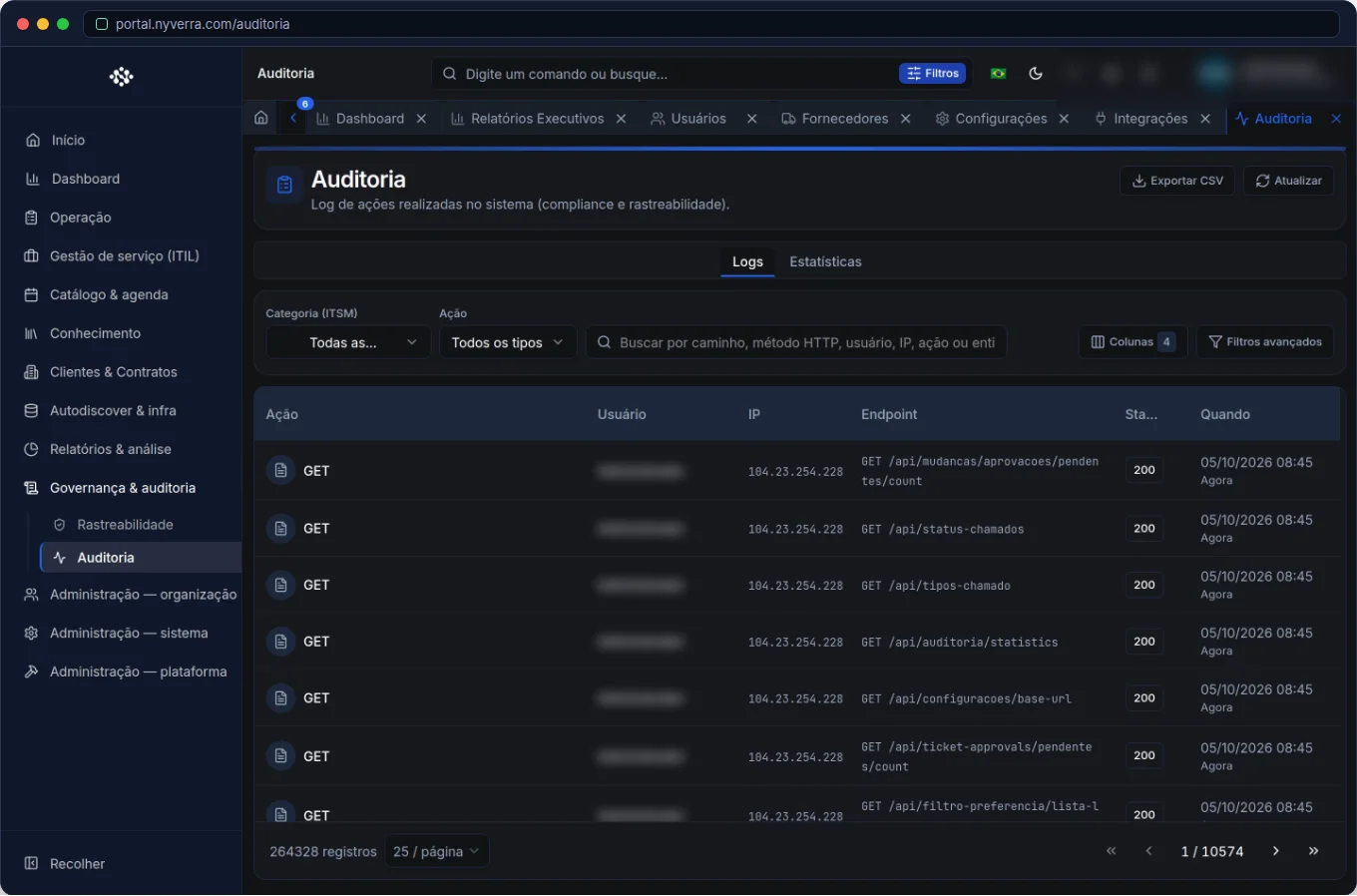 Module interface in Nyverra ITSM Portal.
What the Audit Module Records
It is the record of relevant actions in the system: who accessed, created, changed, deleted, or approved — with date, time, and context. Not every read is logged; the focus is on change actions and sensitive operations, according to policy.
| Example event | Why it matters |
|---|---|
| Configuration change | Changed behavior for everyone |
| Permission/role change | Affects who can do what |
| Record deletion | Critical for recovery and accountability |
| Approval/rejection | Proof of the decision and author |
Why this is essential
- Investigation: reconstruct what happened, in order, with authorship.
- Compliance: ISO 20000 and LGPD require traceability of actions on data and controls.
- Security: detect misuse of privileges.
- Accountability: each action has an identifiable author.
Who uses
| Profile | Typical use |
|---|---|
| Administrator / security | Investigate and export evidence |
| Manager | Compliance and control review |
| Auditor (internal/external) | Consultation based on provided evidence |
How to use: step by step
- Open Governance → Audit.
- Filter by user, action, and date to narrow down the scope.
- Use the records to investigate a sensitive change or deviation.
- Export evidence when requested by an audit.
- Establish a periodic review of critical events.
Business rules and precautions
| Rule | Explanation |
|---|---|
| Log scope | The focus is change actions; not every read is recorded. |
| Retention | Define how long logs are kept, according to policy. |
| Access | Restrict access to those with legitimacy (sensitive data). |
| Immutability | Audit log should not be editable — trust the trail, not those who operated it. |
Best practices
- Combine auditing with Traceability (timeline) for complete context.
- Define a retention policy aligned with LGPD and ISO 20000.
- Review critical events periodically, not only during incidents.
- Open a ticket for each investigation and record conclusions — the investigation itself becomes a trail.
- Restrict access to consultation and export.
Common mistakes
| Situation | What to do |
|---|---|
| Looking for “who read” something | Not every read is logged; adjust expectations to policy. |
| Logs without defined retention | Define and comply with retention policy. |
| Broad access to audit | Restrict — it is sensitive governance data. |
Frequently asked questions
Does the Audit record everything?
It focuses on relevant/change actions, according to policy — not every read.
Is it suitable for ISO 20000 and LGPD?
Yes, it is the basis for traceability required by these standards.
Can I export evidence?
Yes, with filters and export for audits.
Automate via API
Auditing is exposed via API (/api/auditoria, with filters and export). Reference at developer.nyverra.com.
Use cases: the trail in action
1. “Who changed this configuration?” Strange behavior appears after a change. The audit shows author, action, and time — the answer comes from the record, not supposition.
2. Unauthorized privileged access. An account with privileges does something out of the ordinary. The trail evidences the action and feeds the security investigation.
3. Compliance audit. An auditor asks for evidence that controls were applied. Logs, filtered by period and resource, become tangible proof of compliance (ISO 20000, LGPD).
KPIs and audit policy
| Point | Recommended definition |
|---|---|
| What to log | Change actions and sensitive operations |
| Retention | Defined by compliance policy |
| Access to consultation | Restricted to legitimate profiles |
| Periodic review | Critical events reviewed routinely |
Audit as part of culture
Audit is only valuable when the organization trusts it. This means: immutable trail, retention fulfilled, and documented investigations — including the investigation itself becomes a record. Combined with Traceability (service context) and reports (macro view), it closes the governance loop: the organization can prove, not just assert, that its controls work.
Audit checklist
- Define what should be logged (change actions).
- Establish the retention policy.
- Restrict access to consultation.
- Create a routine to review critical events.
- Standardize evidence export.
- Document investigations performed.
Additional frequently asked questions
Is every read recorded?
No; the focus is change actions and sensitive operations.
Can I export for external audit?
Yes, with filters by period and resource.
How long should logs be kept?
According to the organization's compliance policy.
Conclusion
Audit provides legal and operational security to the Nyverra ITSM Portal. Every relevant action is traceable, every decision has an author, and the organization can prove — not just assert — that controls worked.
Leia também: Traceability in Nyverra Portal: The Complete History of Every Ticket · Roles and Permissions in Nyverra Portal: Tailored Access Control.
Keep reading
Read also
 Portal ITSM
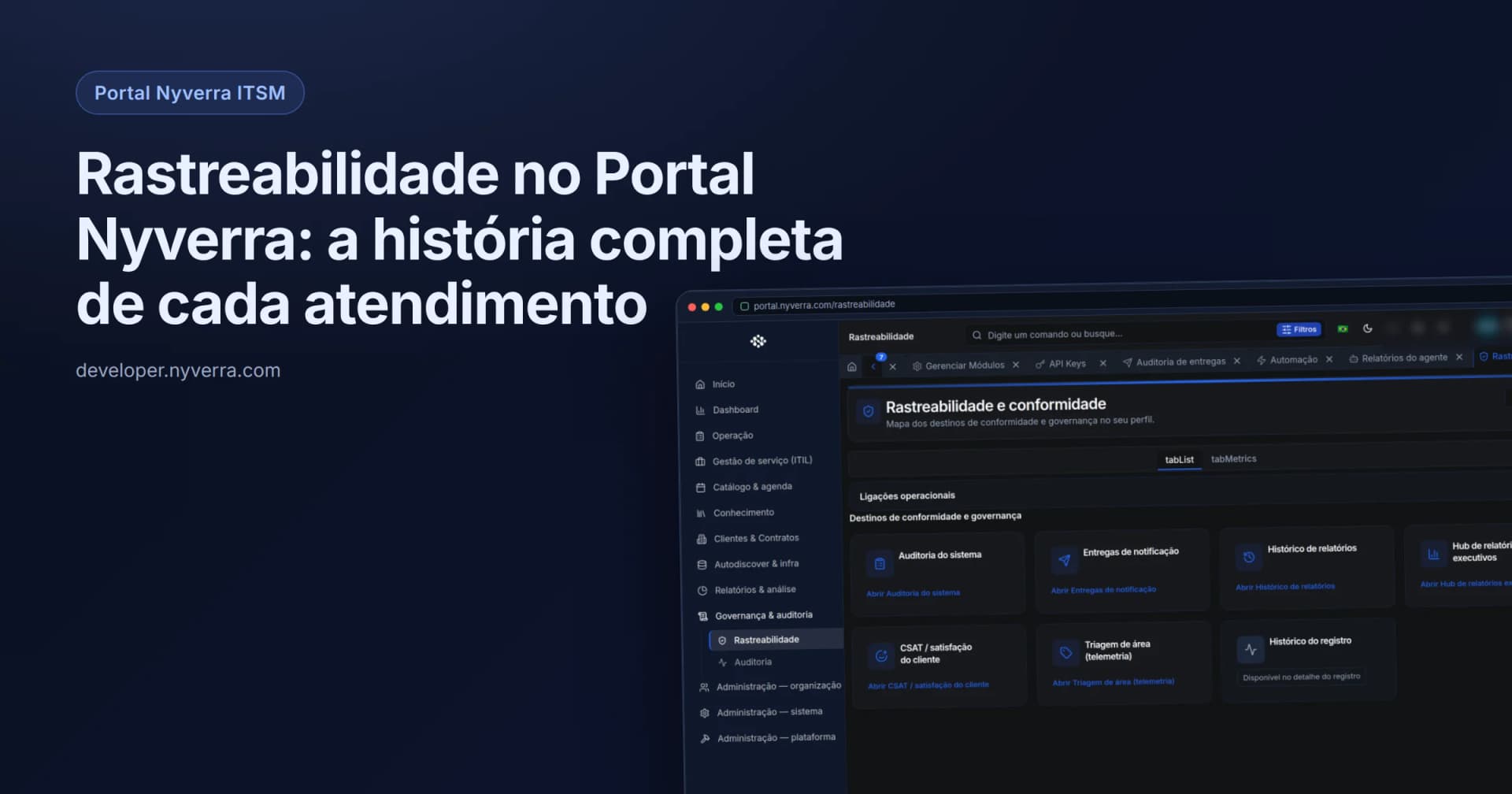
Traceability in Nyverra Portal: The Complete History of Every Ticket
Audit + history in a single timeline. The Traceability module of Nyverra Portal ITSM reconstructs the lifecycle of a ticket — who did what, when, and in what order — for investigation, root cause, and compliance (ISO 20000, LGPD).
5 min de leitura Portal ITSM
Roles and Permissions in Nyverra Portal: Tailored Access Control
RBAC is the foundation of access control. See how the Roles module in Nyverra Portal ITSM defines granular profiles and permissions, protects sensitive functions with 2FA, enables temporary delegation by period, and relies on the principle of least privilege.
5 min de leitura Portal ITSM
Reports in the Nyverra Portal: Evidence to Decide and Prove
Indicators that don't lead to action are just numbers. See how the Nyverra ITSM Portal generates executive reports, client and contract extracts, hours per technician, email scheduling, and history — the evidence that management and compliance demand.
5 min de leitura
Comments
No comments yet
Be the first to share your thoughts on this article.
Leave a comment