


Change Management in Portal Nyverra: RFC, CAB, and Rollback Plan
 Wedson Lopes
There is a phrase that sums up decades of service management: “there is no change without risk; there is change without control”. Updating a server, changing a firewall rule, altering an ERP flow — each of these actions can bring down a service. Change management exists so that the change is planned, approved, and reversible.
This guide walks through the Change module of Portal Nyverra ITSM: the RFC concept, types and risk assessment, the role of the CAB, the approval flow (with the rule that prevents self-approval), the implementation window, and the rollback plan — plus the link to problems, tickets, and releases.
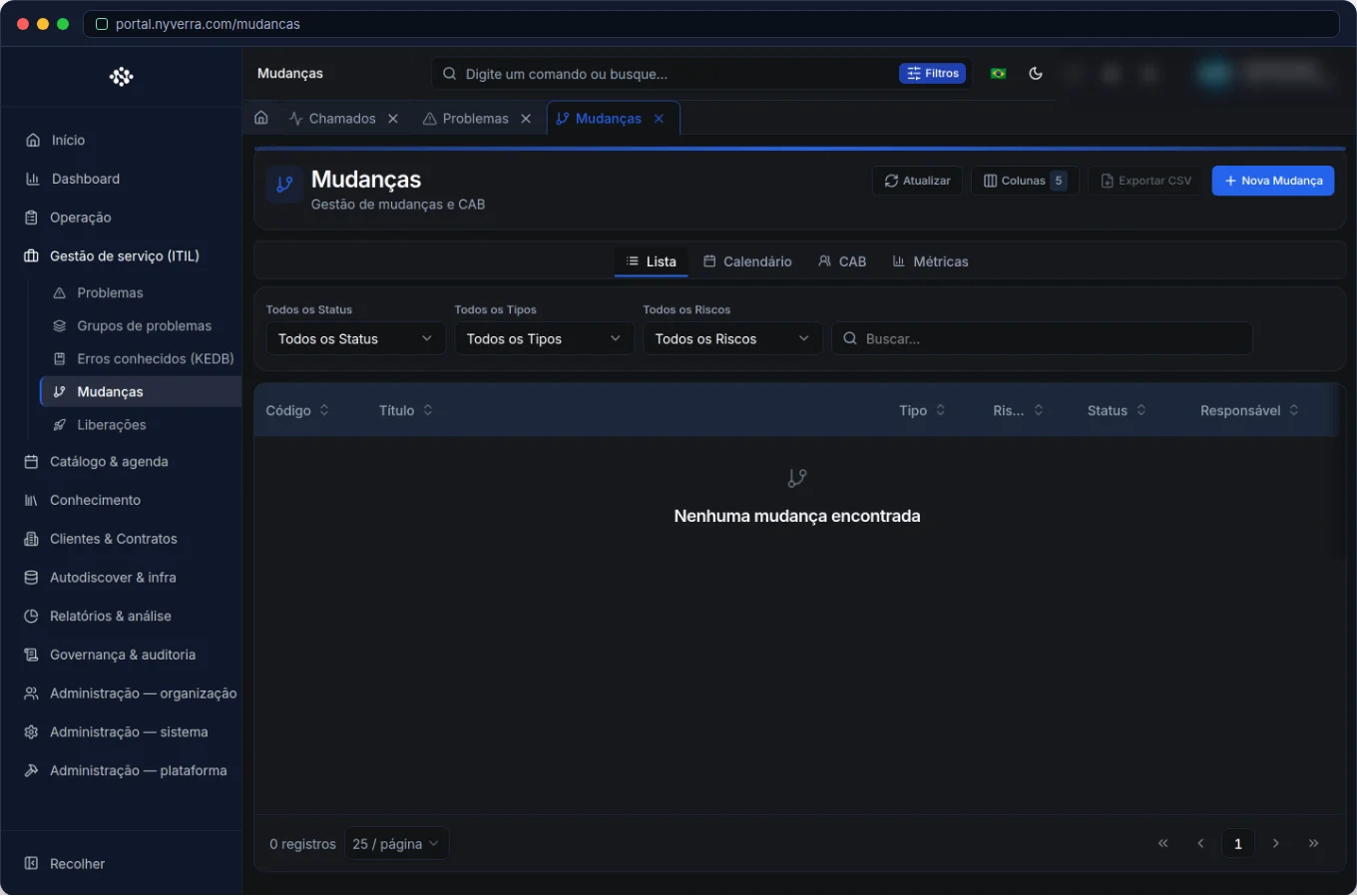 Module interface in Portal Nyverra ITSM.
Change, RFC, and its place in ITIL
A change (code CHG) is a planned alteration to services or infrastructure. Each change request is recorded as an RFC (Request for Change), which carries description, type, risk, impact, implementation plan, and rollback plan.
To avoid mixing up ITIL disciplines:
| Discipline | Question it answers |
|---|---|
| Incident | “How do I restore the service now?” |
| Problem | “Why did this happen?” |
| Change | “How do I change safely?” |
| Release | “What goes up together in this window?” |
The change is the link between the identified root cause (problem) and the coordinated delivery (release).
Types and risk: not every change is the same
Treating a disk replacement like an ERP update is a recipe for chaos. The Portal works with types of change that define the level of control:
| Type | Characteristic | Typical control |
|---|---|---|
| Standard | Repetitive, low risk, pre-authorized | Lightweight flow |
| Normal | Common planned alteration | Approval and window |
| Emergency | Urgent fix to restore service | Faster flow, retroactive approval |
The risk and impact informed in the RFC determine who approves and how much detail the plan requires. High-risk changes should only proceed with a documented rollback plan.
The CAB (Change Advisory Board)
The CAB is the forum that evaluates higher-impact changes. In the Portal, this translates into CAB meetings and the record of decisions: who evaluated, what was decided, and why. Major changes may require this deliberation before approval; simple changes go through direct approval. The goal of the CAB is not to add bureaucracy, but to distribute the responsibility for the decision.
Who uses it
| Profile | Typical use |
|---|---|
| Technician / change manager | Create, submit, implement |
| Approver / CAB | Approve or reject, with comment |
| Customer representative | In changes with an identified customer, can approve (profile CUSTOMER) |
The lifecycle of a change
- Draft: the requester assembles the RFC (title, description, type, risk, impact, window, plan).
- Submission for approval: the RFC enters the approval queue.
- Approval / rejection: the approver reads impact and rollback and decides. Rejection usually sends the RFC back for correction.
- Implementation: once approved, the change is implemented in the planned window.
- Closure: the result is recorded and the resolved items are linked.
The self-approval rule
An internal control principle, reinforced by the Portal: whoever creates does not approve their own change (nor their own ticket). This segregation of duties prevents authorization from becoming a formality. That is why, when you submit an RFC, it does not appear in your approval queue — it goes to other approvers.
Window, rollback, and evidence
- Implementation window: the authorized period to execute the change. Outside it, execution is a sign of a loose process.
- Rollback plan: how to go back if something goes wrong. In high-risk changes, it is mandatory.
- Links: the change records the tickets/problems it resolves and the release to which it belongs, closing the audit trail.
Business rules
| Rule | Explanation |
|---|---|
| Types matter | Emergency has a faster flow; Normal goes through more controls. |
| CAB | Major changes may require a meeting/decision record, depending on configuration. |
| Approval | Without the pending approval resolved, status cannot be advanced improperly. |
| Rollback | Document the rollback plan before implementation in high-risk changes. |
| Self-approval | The creator does not approve their own RFC (ADR-015). |
How to use: step by step
- Create the change: Service management → Changes → New; provide title, description, type, risk, impact, window, and plan.
- Save as draft while adjusting, or submit for approval.
- Approve/reject: in the detail or in Pending approvals; read impact and rollback and record a comment.
- Implement within the window and record the result.
- Link resolved tickets/problems and the corresponding release.
Good practices
- Never register a change without a rollback plan — especially in high risk.
- Use the change as the closure of the problem: problem → RCA → change → release.
- Combine the window with Downtime Manager to suppress monitoring alerts during the intervention.
- For emergency changes, record the retroactive approval and document the decision.
- Communicate with affected parties before the window — an informed customer is a satisfied customer.
Common mistakes
| Situation | What to do |
|---|---|
| “I'll just edit the status” without approval | Respect the flow; approval exists for segregation of duties. |
| Change without a defined window | Set start/end; execution outside the window breaks control. |
| RFC without a link to the problem | Link to maintain traceability of the root cause. |
Frequently asked questions
What is the difference between change and release?
A change is the individual alteration; a release groups several changes that go into production together.
Can I approve the change I created?
No. The Portal applies the rule that self-approval is prohibited.
Does Emergency waive approval?
It waives the long process, not the control — approval can be retroactive, but it is recorded.
Automate via API
The module is exposed via API (/api/mudancas, /api/cab-reunioes, link /api/problema-mudanca-links), with status transitions and approval controlled by RBAC (CHANGE_*). Reference at developer.nyverra.com.
Usage scenarios: change types in practice
1. Standard change. Restarting a known service, applying an approved patch, adding a user to a group. These are repetitive, low-risk operations with a lightweight flow — they should not stop at the CAB. The value is in recording to maintain the trail, even when execution is almost automatic.
2. Normal change with window. Updating the ERP, replacing a firewall, migrating a database. Here come risk assessment, approval, maintenance window, and rollback plan. This is the change that benefits most from the link with Downtime Manager and with the release.
3. Emergency change. A critical incident requires immediate alteration. The flow is accelerated; approval is retroactive, but recorded. Without this, the production “workaround” becomes next month’s incident without anyone knowing what changed.
Change management KPIs
| Indicator | What it reveals |
|---|---|
| Success rate (changes without subsequent incident) | Quality of planning |
| % of emergency changes | How reactive the operation still is |
| Average approval time | Agility of the CAB/flow |
| Changes with executed rollback | Accuracy of risk assessment |
| Changes outside the window | Execution discipline |
A drop in the percentage of emergency changes usually indicates maturity: the organization started planning instead of putting out fires.
Automation and integration
Much of the change work is predictable. Automation rules can notify affected parties, open standard tasks, and start Downtime automatically upon approving a change. Integrating monitoring and CMDB allows predicting the impact before submitting the RFC — who depends on what is changing. It is the difference between changing “in the dark” and changing knowing exactly the scope.
Conclusion
Change management is the art of changing without surprising. With types and risk, CAB, segregated approval, window, and rollback, Portal Nyverra ITSM gives IT the control that production demands — and the peace of mind the business expects.
Leia também: Nyverra Portal Releases: Packaging Changes with Traceability · Roles and Permissions in Nyverra Portal: Tailored Access Control.
Keep reading
Read also
 Portal ITSM
Nyverra Portal Releases: Packaging Changes with Traceability
A release isn't just “pushing code”: it's grouping the changes that go live together in the same window, with order, status, and deployment records. See how the Releases module of the Nyverra ITSM Portal controls the REL-* cycle from planning to go-live.
6 min de leitura Portal ITSM
Roles and Permissions in Nyverra Portal: Tailored Access Control
RBAC is the foundation of access control. See how the Roles module in Nyverra Portal ITSM defines granular profiles and permissions, protects sensitive functions with 2FA, enables temporary delegation by period, and relies on the principle of least privilege.
5 min de leitura Portal ITSM
Reports in the Nyverra Portal: Evidence to Decide and Prove
Indicators that don't lead to action are just numbers. See how the Nyverra ITSM Portal generates executive reports, client and contract extracts, hours per technician, email scheduling, and history — the evidence that management and compliance demand.
5 min de leitura
Comments
No comments yet
Be the first to share your thoughts on this article.
Leave a comment