


Service Catalog and Requests in the Nyverra Portal
 Wedson Lopes
There is a huge difference between "can IT help me with this?" and "I know exactly where to request this, what information to provide, and the expected deadline." The Service Catalog is what turns the first sentence into the second — standardizing what IT offers and how the user requests it.
This guide covers the Service Catalog and the Requests module of the Nyverra ITSM Portal: how to model items, forms, and approvals, how the request lifecycle works, and how the public catalog enables self-service.
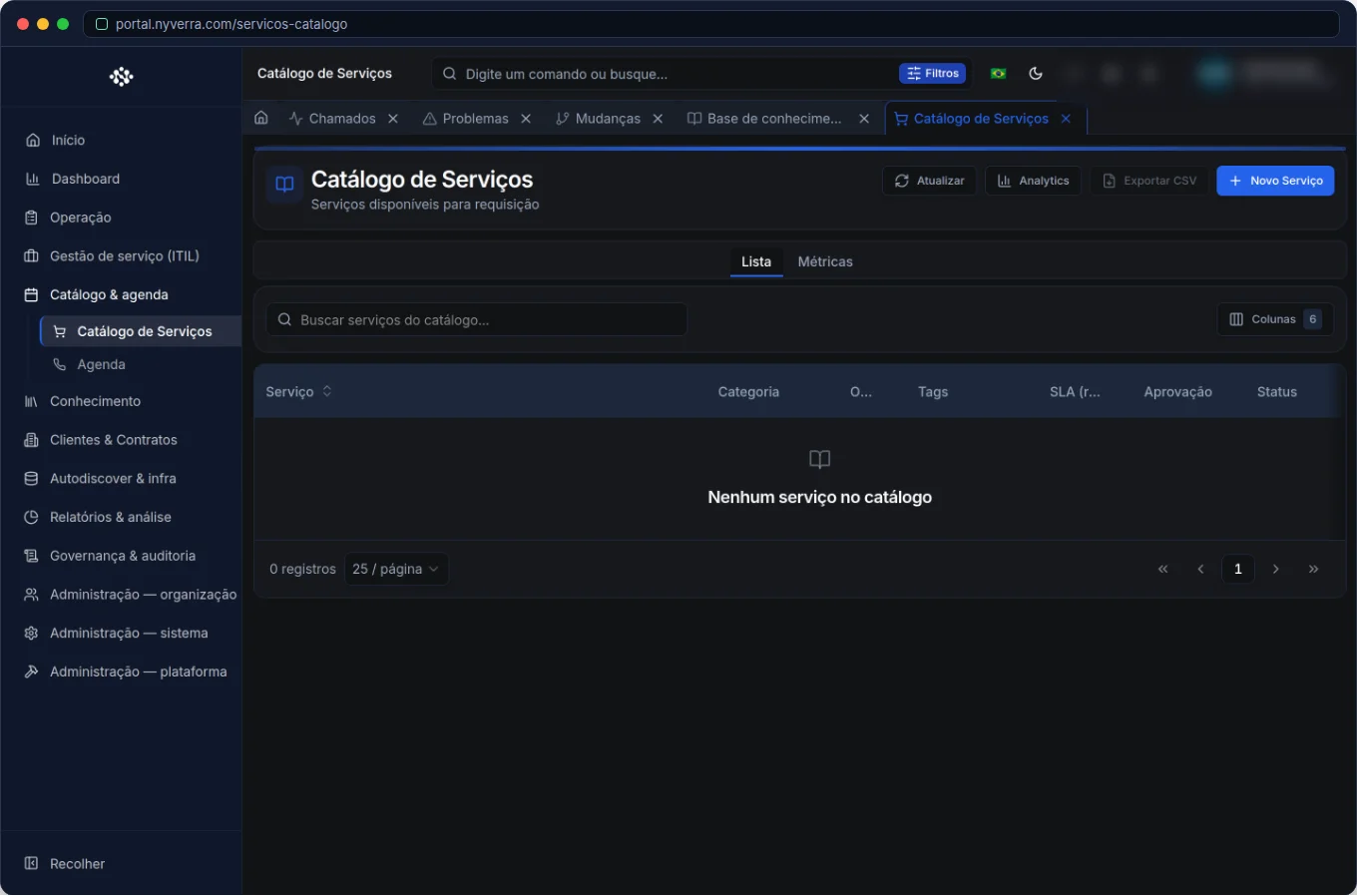 Nyverra ITSM Portal module interface.
Catalog vs. ad-hoc ticket
ITIL distinguishes incident (something broke) from service request (a planned request). The catalog is the catalog of requests:
| Type | Entry path | Example |
|---|---|---|
| Something broke | Ad-hoc ticket | "Email is down" |
| Standardized request | Catalog → request | "I need access to folder X" |
When the request is in the catalog, it gains defined form, approval, and deadline — instead of becoming a generic ticket that is hard to measure.
What a catalog item carries
Each catalog item describes a service and the path to obtain it:
- Identity: name, description, and icon (e.g., "Provision virtual machine", "Request VPN access").
- Form: dynamic fields per service (what the requester needs to inform).
- Visibility: internal (team) or exposed in the public catalog.
- Approval: whether the service requires authorization before fulfillment.
- Delivery SLA: fulfillment deadline, which may differ from the incident SLA.
- Handoff: to which queue/approver the request goes after submission.
The request lifecycle
Requests follow their own flow, with states that guide operations:
| State | Meaning |
|---|---|
| EM_APROVACAO | Waiting for decision; the flow does not advance until the approver responds. |
| APROVADA | Authorized; ready for execution. |
| FULFILLED | Service delivered (fulfilled). |
| CANCELADA | Request cancelled before delivery. |
The approve/reject actions (SERVICE_REQUEST_APPROVE) and fulfill (SERVICE_REQUEST_FULFILL) follow RBAC: only those with permission perform each step.
Who uses it
| Profile | Typical use |
|---|---|
| Customer / requester | Chooses the service and opens the request in the portal |
| Operator | Performs the fulfillment and fulfills the request |
| Approver | Authorizes or rejects the request |
| Administrator | Maintains catalog items, forms, approvals, and analytics |
How to use: step by step
Maintain the catalog (administrator)
- Model the service: clear name, description, and form fields.
- Define whether it requires approval and what the delivery SLA is.
- Publish in the internal and/or public catalog.
- Monitor usage in analytics to adjust the offering.
Request a service (user)
- Open the catalog (in the portal or authenticated area).
- Read description, expected deadline, and whether approval is required.
- Fill out the form and submit.
- Track under Requests or Pending approvals.
Fulfill a request (operator)
- List by status (
EM_APROVACAO,APROVADA…). - Approve, reject, fulfill, or cancel according to the stage.
- If necessary, communication generates a linked ticket.
Business rules
| Rule | Explanation |
|---|---|
| Request ≠ incident | Catalog = planned request; ad-hoc ticket = something broken or urgent outside the catalog. |
| Approval | Services marked with approval pause until decision. |
| Delivery SLA | May differ from incident SLA — read the expectation on the service screen. |
| Handoff | After creation, the system routes to the approver or configured queue. |
Best practices
- Keep the catalog lean and up-to-date — obsolete services cause confusion.
- Standardize naming and fields to enable comparable reports.
- Bind SLA and approval consistently with the risk/cost of the service.
- Expose to the public only what the customer can actually request.
Common mistakes
| Situation | What to do |
|---|---|
| "Wildcard" service that does everything | Break into specific items; forms and SLA become more precise. |
| Form with too many fields | Ask only what is necessary to execute and approve. |
| Request entering as a regular ticket | Direct the user to the catalog; measuring requests separately improves indicators. |
Frequently asked questions
What is the difference between catalog and KB?
The catalog is what can be requested; the KB is the knowledge of how to do it. Catalog = action; KB = reference.
Does the request always go through approval?
No. Approval is a characteristic of the item — some services are direct.
Can I expose the catalog to the customer?
Yes, in the public catalog, without login — it is the gateway to self-service.
Automate via API
The module is exposed via API (/api/servicos-catalogo, /api/requisicoes-servicos, approve/reject/fulfill/cancel; and the public catalog at /api/public/servicos-catalogo). Reference at developer.nyverra.com.
Use case scenarios: from request to fulfillment
1. Access with approval. The analyst requests access to a sensitive system. The catalog item collects the form, forwards to the manager for approval, and once approved, fulfills the provisioning. The history shows who requested, who authorized, and when it was delivered.
2. Standardized provisioning. "Request virtual machine" has fixed fields (system, size, environment) and delivery SLA. The team always receives complete information — without the back-and-forth of "missing the environment".
3. Employee onboarding. A set of catalog items (email, network access, equipment, subscriptions) becomes a predictable flow for each new person — instead of loose requests.
Catalog and request KPIs
| Indicator | What it reveals |
|---|---|
| Average fulfillment time | Delivery efficiency |
| Requests per item | Service demand |
| Approval/rejection rate | Policy alignment |
| Cancelled requests | Noise in the catalog |
Time in EM_APROVACAO |
Approval bottleneck |
With these numbers, the catalog stops being a "showcase" and becomes a demand management tool.
Integration and automation
Catalog items can trigger automations: upon approving "VPN access", create the task in the network group; upon fulfilling a request, notify the requester. Connected to the CMDB, fulfillment can register the delivered asset; connected to contracts, it can debit from the hour pool when applicable. The catalog becomes the entry point of an automated flow, not a form that generates manual work.
Catalog implementation checklist
- Define the service categories (what IT offers).
- Model each item: name, description, form fields, and visibility.
- Determine which items require approval and who approves.
- Associate the delivery SLA with each service.
- Publish in the internal catalog and, what makes sense, in the public one.
- Train the team and communicate to users where to request each thing.
- Review usage periodically and adjust low-usage items.
Additional frequently asked questions
How many items should I have in the catalog?
There is no magic number. Start with the highest-demand services and grow as real requests appear. An inflated catalog confuses more than it helps.
Can I have the same service in different versions?
Yes, as long as the difference is clear (e.g., "Standard VM" and "High-performance VM"). The important thing is that the name and fields communicate the difference.
How do I know the catalog is working?
When requests come through it instead of via ad-hoc ticket — a sign that the user found the right path.
Conclusion
With a well-modeled catalog, demand ceases to be unpredictable and becomes a standardized flow, with approval, deadline, and traceability. It is the difference between handling requests and managing services.
Leia também: Reports in the Nyverra Portal: Evidence to Decide and Prove · Client Management in Nyverra Portal: Multi-Tenant Without Mixing Data.
Keep reading
Read also
 Tutoriais
Reports in the Nyverra Portal: Evidence to Decide and Prove
Indicators that don't lead to action are just numbers. See how the Nyverra ITSM Portal generates executive reports, client and contract extracts, hours per technician, email scheduling, and history — the evidence that management and compliance demand.
5 min de leitura Tutoriais
Client Management in Nyverra Portal: Multi-Tenant Without Mixing Data
Everything in the service desk starts with the client. See how the Clients module of the Nyverra ITSM Portal organizes the organizations served, with contacts, links to contracts and assets, scope by profile, and the infrastructure map in detail.
5 min de leitura Tutoriais
Dashboard on the Nyverra Portal: KPIs the Operation Needs to See
Managing without measuring is guessing. The Nyverra ITSM Portal Dashboard brings together service KPIs, trend, distributions, and SLA/OLA breaches in a single view — with kiosk mode for big screens and profile-configurable layout.
5 min de leitura
Comments
No comments yet
Be the first to share your thoughts on this article.
Leave a comment